
LPG Gas Cylinder KYC: Centre Makes Biometric Authentication Mandatory For Domestic Consumers
News Mania Desk/ Piyal Chatterjee/17th March 2026

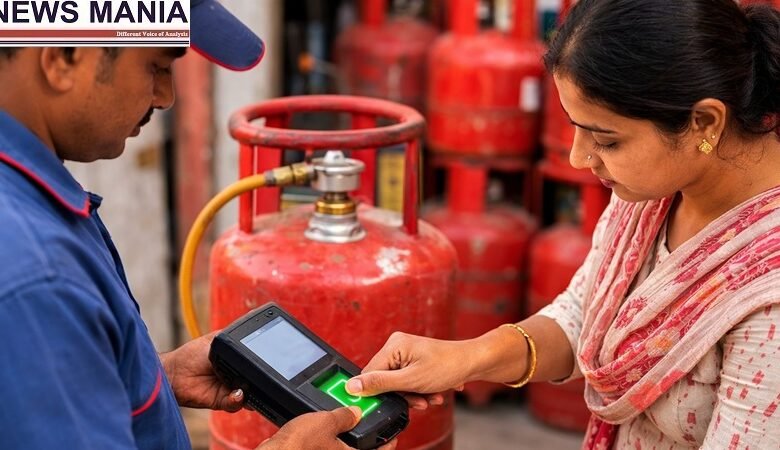
In an effort to expedite the delivery of subsidies and avoid abuse in the wake of the crisis in West Asia, the Ministry of Petroleum and Natural Gas has mandated biometric Aadhaar authentication (e-KYC) for all domestic LPG clients. The government recently announced that users can use their smartphones to complete the verification process from home using the Aadhaar FaceRD app and the mobile apps of oil marketing businesses, even if supply has eased in India. Customers of public sector businesses like Indian Oil, Bharat Petroleum, and Hindustan Petroleum are covered by the instruction.
The ministry claims that the procedure is meant to be easy and doesn’t involve going to an LPG distributor. However, if e-KYC is not completed, LPG refills may be disrupted and subsidies may be suspended until verification is completed.
The regulations are more stringent for recipients of the Pradhan Mantri Ujjwala Yojana. In order to continue receiving benefits, they must complete biometric authentication prior to their first refill at the beginning of each fiscal year.
Oil firms have tightened standards for dormant connections at the same time. Before placing a fresh order, customers who haven’t scheduled a refill in more than nine months might need to physically complete KYC at distributor offices. This occurs in the midst of attempts to reduce irregular demand and supply challenges associated with worldwide energy disruptions. One of the trending topics on Google Trends is the move, which has acquired popularity online:
According to officials, the actions are meant to increase the effectiveness of distribution and guarantee that subsidies are received by legitimate customers.
How to finish the Aadhaar biometric LPG authentication process at home:
Get the app from your LPG supplier (Indian Oil, Bharat Petroleum, or Hindustan Petroleum).
Install the FaceRD app for Aadhaar: It is accessible on iOS and Android.
Access your LPG account by logging in: Use your LPG ID or registered cellphone number.
Choose the option for e-KYC/Aadhaar authentication.
Enter your Aadhaar information: Make sure Aadhaar is connected to your mobile number.
Go ahead and perform facial authentication: You will be sent to the FaceRD app by the app.
Full facial scan: To verify, adhere to the on-screen directions.
Send in and verify: Upon successful authentication, you will receive a confirmation.